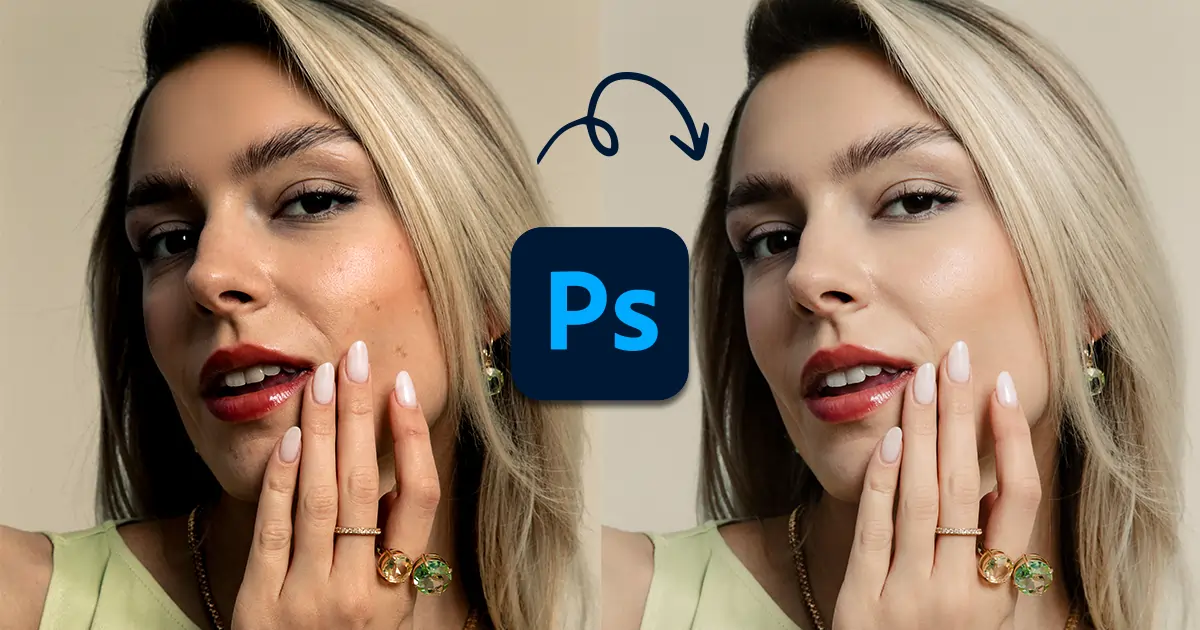
The latest cameras can capture every detail of the model, including blemishes, wrinkles, acne, and more, which may distract the audience. Making skin retouching a necessity to improve the model's appearance and captivate the audience's attention. The perfect model's skin works as a head turner and helps you in branding your business.
So, if you have clicked on this article to learn how to do skin retouching in Photoshop to smooth the model's skin, you are at the right place. In this article, I will share 5 skin retouching tips to remove every flaw, create a natural look, and make you visually captivating. Without further ado, let's start!
5 reasons you need to invest in professional skin retouching in Photoshop.
Aesthetically Pleasing Look. Cameras capture blemishes, acne, pimples, wrinkles, uneven skin tones, dark circles, and other flaws. You can remove every flaw with professional skin retouching. Ensure the model's skin looks smooth, natural, and attractive.
Bring out the Confidence in the Model. Alongside smoothening the skin, professional photo retouchers sharpen the eyes, plump the lips, remove stray hairs, and more to ensure the model looks confident.
Make the Subject the Hero. By removing blemishes and other distractions, professional beauty retouchers ensure the audience's focus remains on the subject's eyes, expression, and body language.
Portray Your Brand Story. Creative skin retouching ensures the final image tells your brand story. They use the right color palette, background, and retouch the model's tone and texture according to your brand style.
Ensure Consistency. Throughout the photo series, the model's skin tone should appear consistent, and professional skin retouchers can help you achieve this.
Now that you know the benefits of professional skin photo retouching services. Let's see how to do it super easily in Photoshop.
You need to keep the raw image safe so that if any issues occur, you can redo the image. The solution? Creating a copy.
Duplicating the image is easy. Click on the main image file. Press Ctrl + J (Win) or Cmd +J (MAC) on the keyboard, and a copy will be created. Rename the file according to your desire and work on the copied file.
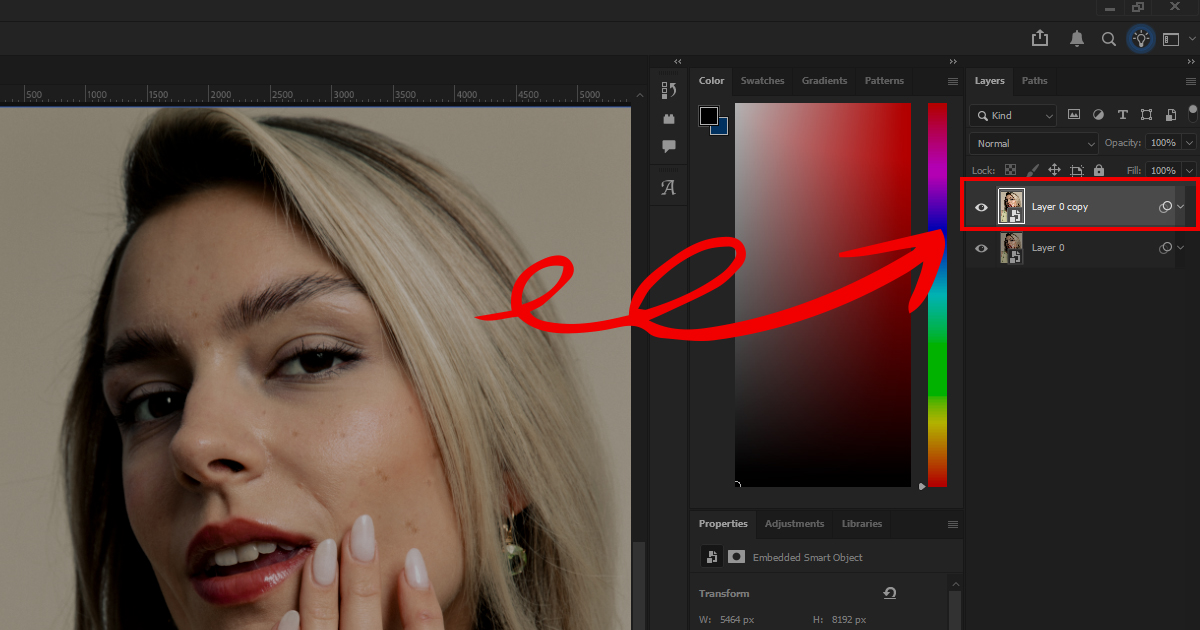
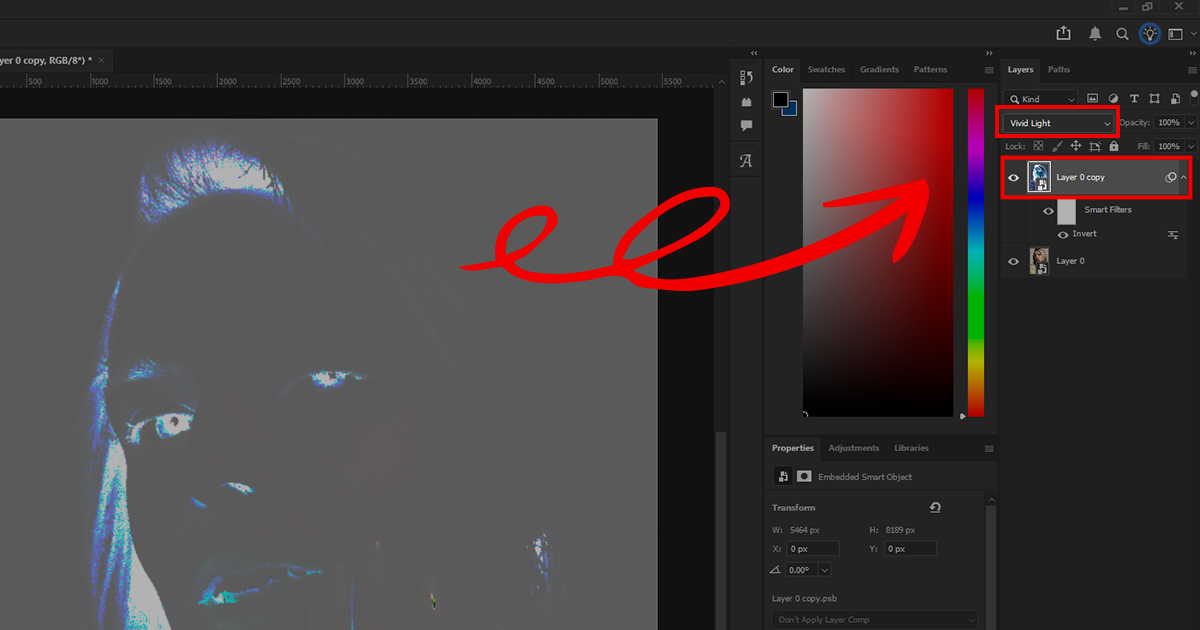
Go to the layers panel and invert the copied layer. Click on the layer and press Ctrl+I. Your new layer will be inverted. Now, change the blend mode from normal to "Vivid Light". You can find the blend mode right above the image layer.
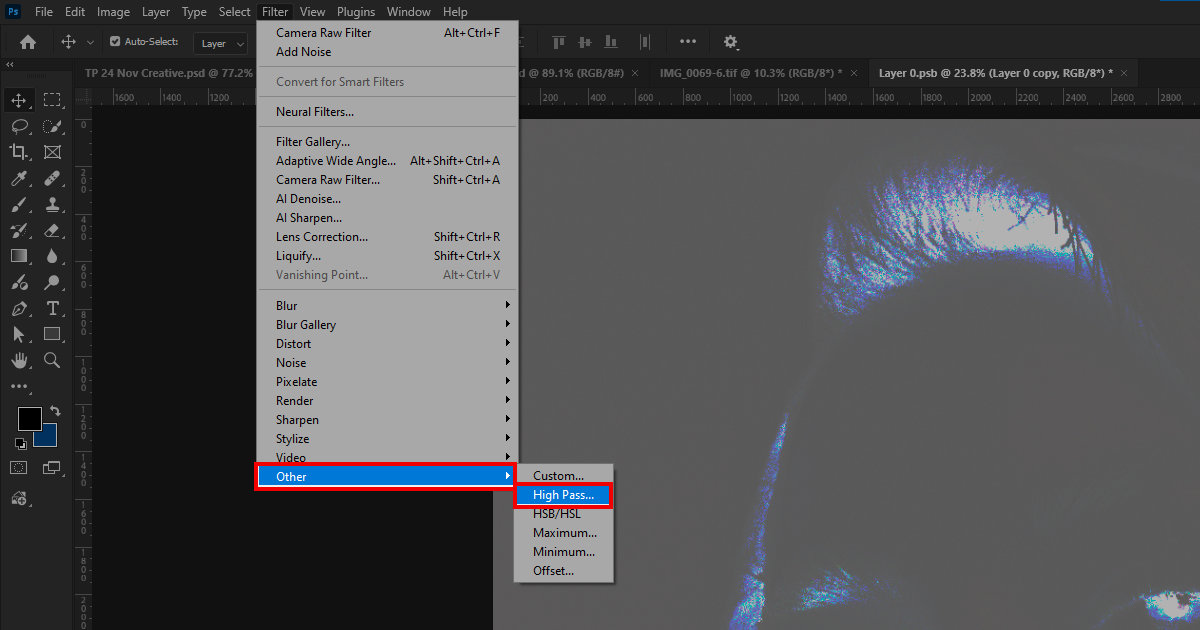
Go to the Menu bar and choose Filter > Other > High Pass. The High-Pass dialog box will appear. Keep increasing and decreasing the "Radius" till the skin properly blends in. Click OK.
Again, choose Filter> Blur > Gaussian Blur. The Gaussian Blur dialog box will pop up. Continue increasing and decreasing the radius until the desired skin texture is achieved. Click OK to save the changes.
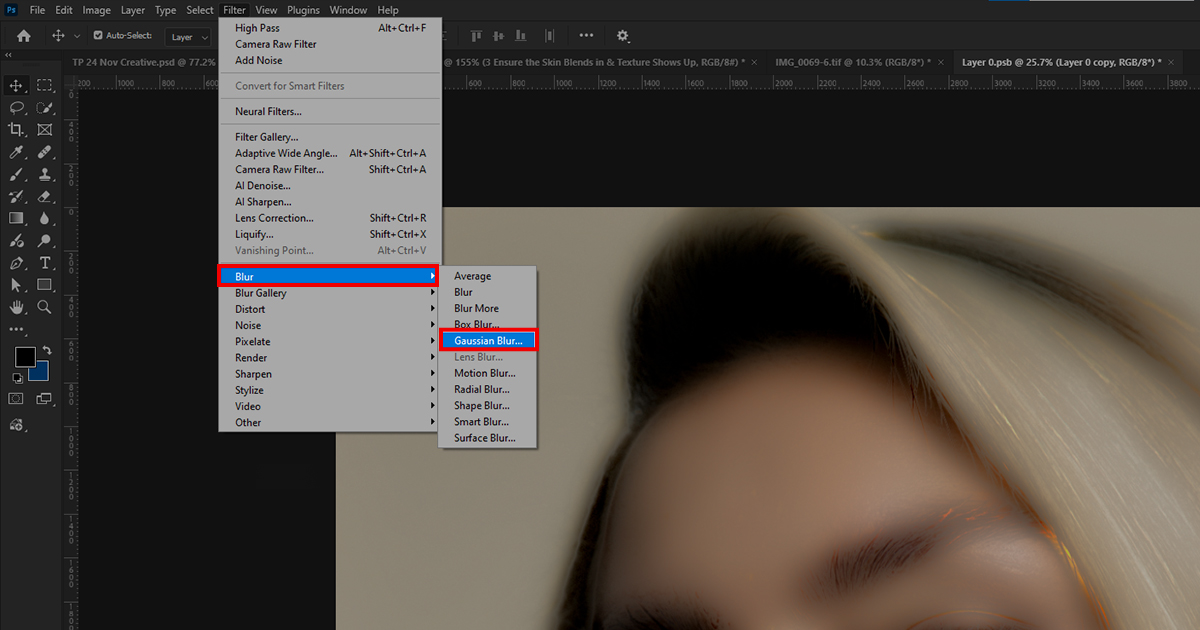
To create a negative mask, hold Alt and click on the layer mask in the Layers panel. You can find the layer mask icon beside the adjustment layer.
Go to the Toolbar and choose the Brush Tool. Use a soft brush to paint over the skin and smooth it out gently. However, when brushing, avoid the edges. The model's skin has become soft and smooth, right? Now, for the final step, adjust the opacity as needed and save the image.
While performing piximperfect skin retouching action, you must not overdo it. The audience likes a realistic look. The model's skin should appear natural, smooth, and attractive.
Excessive retouching can result in a robotic or unnatural appearance. Rather than attracting audience attention, it may leave a negative impact on them. When retouching the model's skin, ensure it appears realistic and aesthetically pleasing.
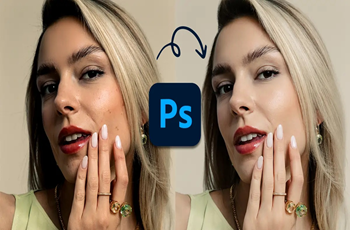
Here is the final image after retouching. Isn't it looking great?
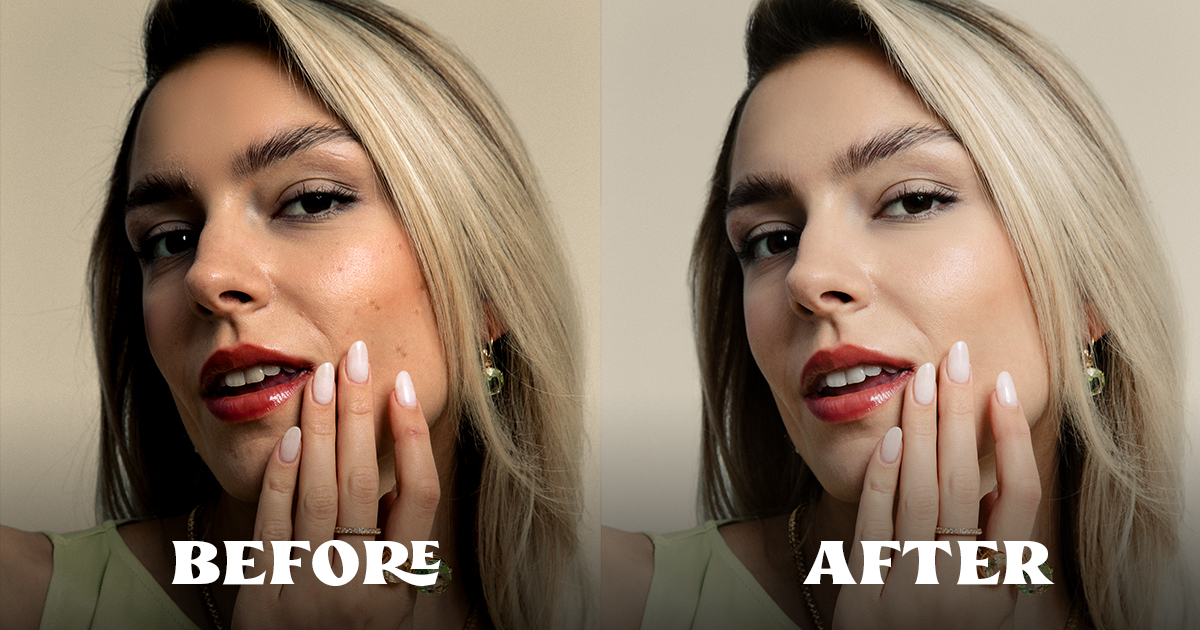
Skin retouching in Photoshop is super easy. However, if you are not familiar with skin retouching tools or do not have the time to retouch the image's flaws thoroughly, you can consider hiring these photo retouching services.
Color Clipping Ltd. is a USA-based photo retouching company. They specialize in beauty retouching, product photo retouching, jewelry retouching, headshot retouching, food photo retouching, real estate retouching, and many more. You just name the niche, and they are great at retouching with your brand style.
They are at the top of my list due to their high-quality images and on-time delivery. Even when I order a rush hour project, they gladly accept it and deliver it on time with the best quality. Not only do they meet deadlines, but they also offer 24/7 customer support. It was as if they were with me throughout the entire project's completion.
They also have an easy portal system where you can track your project. So, altogether, they are an excellent choice for retouching bulk images at an affordable price. Visit their website today to review their portfolio and take advantage of a free trial to assess their expertise.
RetPix is a Lithuania-based photo retouching services company. However, they didn't just stay limited to photo retouching and editing. They also offer photography services. Meaning, they can create your brand images from scratch and deliver them perfectly. You just need to publish it and take customers' orders.
They also offer various photo retouching services, including beauty, product, real estate, jewelry, clipping path, ghost mannequin, graphic design, and video editing. They have a specialized team for each type of photo retouching and deliver based on the deadline. Their customer service is also top-notch, as they will be with you throughout your project completion. Do not believe my words? Just visit their website and see their image quality. You will believe it immediately and place an order.
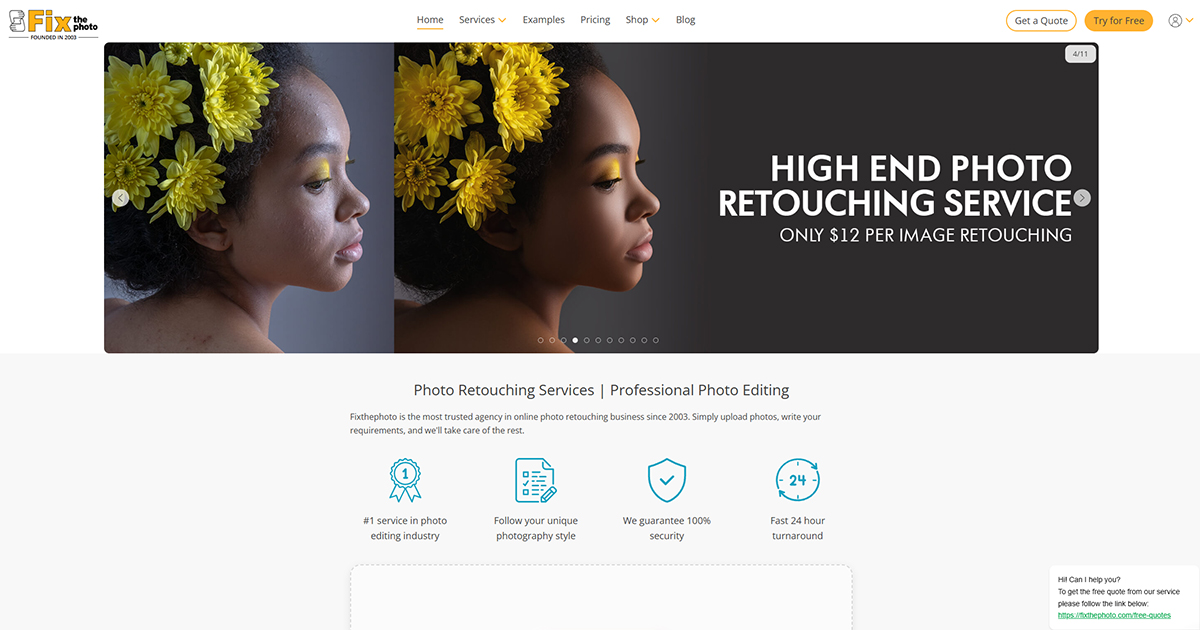
You're familiar with photo retouching companies, but haven't heard of Fix The Photo? It's not possible. It is one of the oldest and best companies in the USA. Although their services are a bit costly, they are top-notch. They have dedicated professional beauty retouchers handling your project and guarantee 100% client satisfaction.
Their turnaround time is also fast. They can deliver images within 12-48 hours. All their pictures strictly follow the brand's unique style and ensure they fulfil your business purpose. Visit their website and contact them to learn more about their services. If they meet your expectations, consider hiring them.
Though with all these photo editing steps,
skin retouching in Photoshop
may seem complex. It is really not hard. Just read the steps and retouch the model's skin step by step. Your beauty retouching will be done within 5 minutes. And when you master the technique, you can do it within one minute. Trust me on that.
However, if you have a large number of images and don't have the time to retouch them for hours, consider seeking professional help from the best photo retouching service providers. Simply send them a picture for a free trial and check which one aligns best with your brand. That's it for today. All the best for skin retouching because the final results are truly satisfying to watch.
Skin retouching for beginners can be tricky due to the numerous tools available. However, with practice, beginners can retouch skin within minutes.


RetPix, MB is a private company registered in Lithuania (No. 306112201) with VAT ID LT100015912712. We are delivering high-quality photo retouching, graphic design, and video editing services worldwide with a focus on precision and client satisfaction.
Follow Us
 English
 Arabic
 Danish
 Dutch
Dutch
 Finnish
 French
 German
 Hebrew
 Croatian
 Czech
Czech
 Greek
Greek
 Ukrainian
 Estonian
 Hungarian
 Turkish
 Italian
 Japanese
 Norwegian
 Polish
 Portuguese
 Romanian
 Spanish
 Swedish
 Russian
 Latvian
 Lithuanian
 Serbian
 Slovak
 Slovenian
 Luxembourgish